SPECVIEW
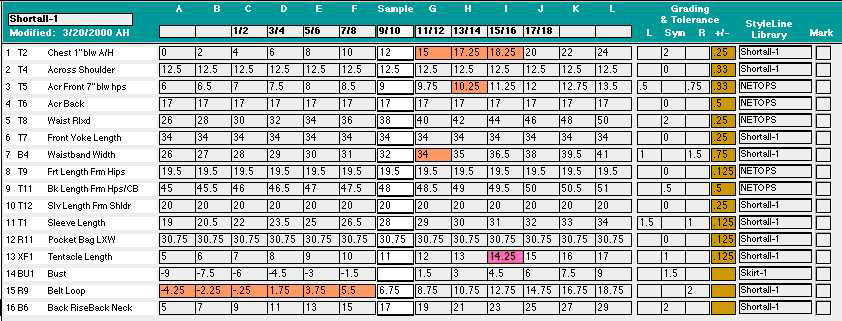
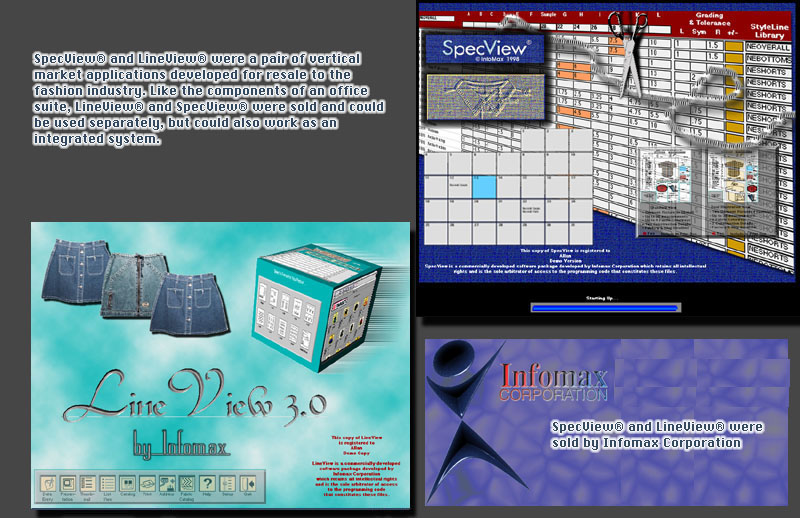
SpecView® is a system in which the garment designer would enter a set of measurements for a new garment in a specified size, and then create or apply a rule for how to calculate the measurements for the same garment for up to 12 additional sizes. The core of SpecView® is therefore a spreadsheet-like grid of rows and columns, where each row is a named measurement (spec) and each column is a size.
OVERIDES--The value in each of the resulting calculated measurement "cells" could be overriden either at the formula level (creating a variant size-specific formula for a given spec) or as raw data (creating a variant size-specific spec directly), thus giving the designer the power of quick systemic formulas along with the flexibility of being able to depart from them at will. Each measurement "cell" was color-coded to show if its value were caused by an override, and, if so, which type of override was in effect.
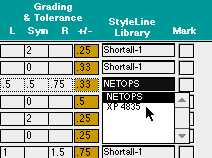
STYLE-LINE LIBRARY--A given measurement--the name, the default value for the sample size, and the grading-rule formula--could be borrowed from any previously existing style that utilizes that named measurement. For example, the waist specifications for one pants style could be borrowed and applied to another pants style as it was being designed.
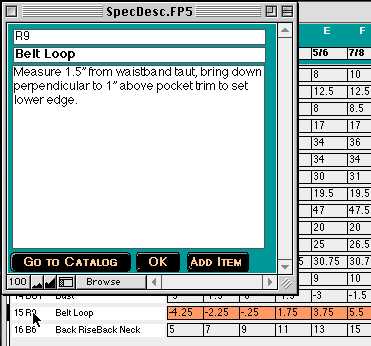
MEASUREMENT SPEC DESCRIPTION--Option-clicking (Alt-clicking) a selected measurement spec code brings up a description window in which the designer can type out instructions for exactly how to obtain the measurement with that name. For example, "waist" could be defined as the distance from a point 2 inches below the top of the skirt or pant at the zipper edge to the corresponding point on the opposing edge with fabric pulled taut on a flat surface.
TOLERANCE--For each measurement specification, the designer could enter a tolerance, i.e., how much over and how much under spec would be accepted from their outsource production factories.
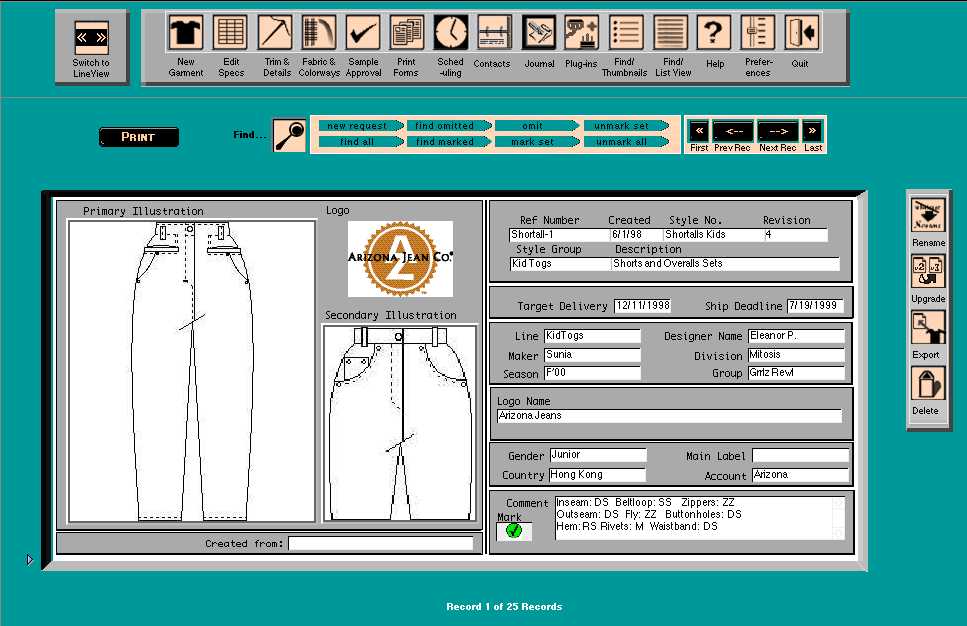
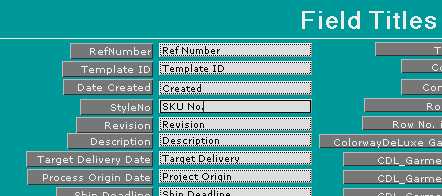
METADATA--Each style could be described with a set of fields (text, numerical, and date). These fields have default names that they ship with, but each design company is able to customize the names and therefore use them to describe aspects of the styles they design that are applicable to their needs and purposes.
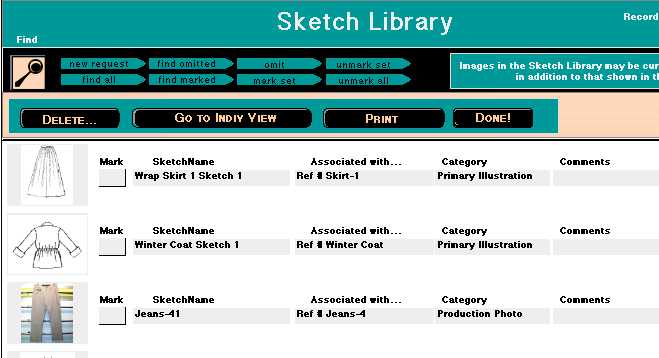
SKETCHES--A library of imported graphic images is maintained by the designer, and appropriate sketches can be associated with the styles themselves or with any of the measurement specs, trim details, accessory pieces, etc.
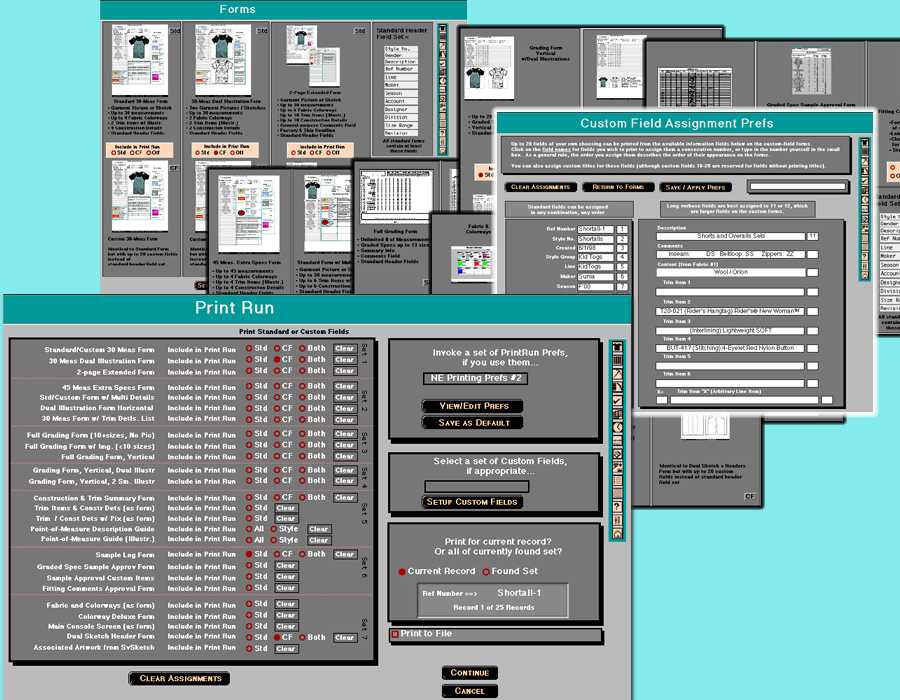
FORMS--Over 40 different printable forms are incorporated into SpecView, combining measurement specs, images, and metadata in various formats. Many formats are available with either the default set of metadata fields or with custom fields, in which the user selects which fields will appear on the form and in what order. For printing purposes, a feature called the PRINT RUN allows the user to select a set of forms to print out for the current style or the current found set of styles. User-customizable sets of Print Run prefs let companies select a standard battery of forms with a single click and print them with another. Automatic "Print to PDF" is also provided as an option--routines were built into SpecView to automatically switch the active printer to the bundled copy of Adobe's PDFWriter, print to PDF, rename the PDF file to reflect the form name, then switch the printer back to the user's default setting.
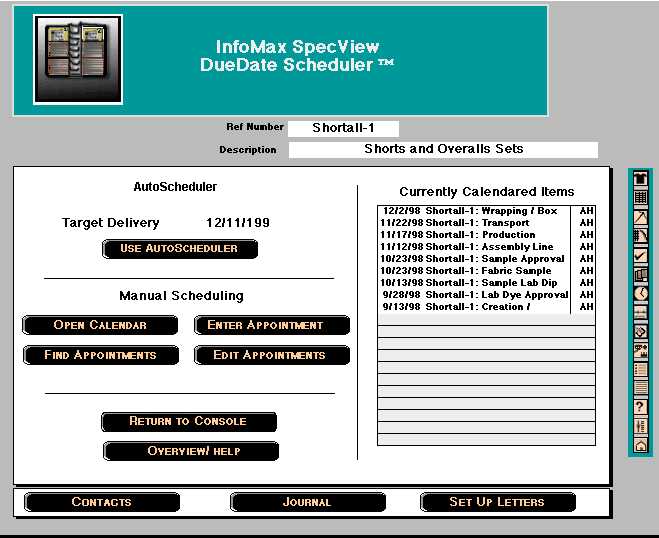
CALENDAR and SCHEDULER--SpecView® incorporated a multi-user Calendar plus an administrator's calendar showing the events and items entered by all of the users. Production-related deadlines could be entered manually, as with any typical PIM program (e.g., Outlook). For each style, though, a set of events could be scheduled onto the calendar automatically by invoking a set of scheduling preferences that would set up a sequence of cascading events and their due dates, keying off from an initial date specified by user's preference.
LINEVIEW
LineView® is a cataloguing system, in which the garment producer would maintain a database of all of the styles that they had designed and had had their manufacturers produce as per their specifications. They could then generate impromptu catalogs of their wares as part of the process of doing a sales presentation to resellers such as department stores. LineView was also used to generate brochures and web pages for advertising or promoting a fashion line directly to potential customers.
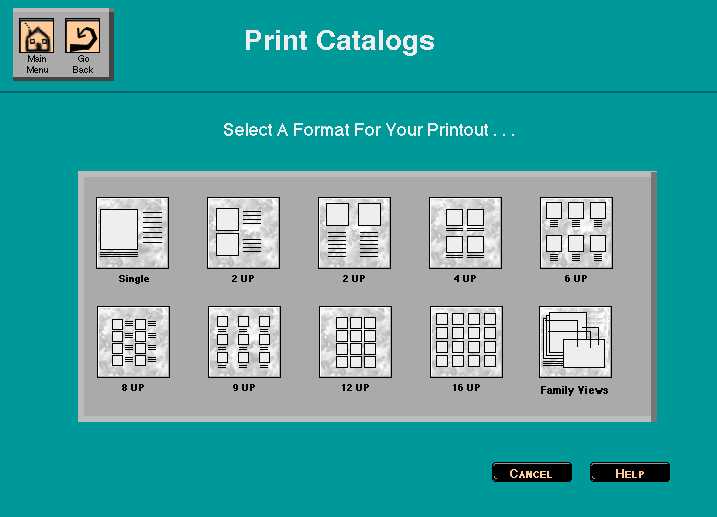
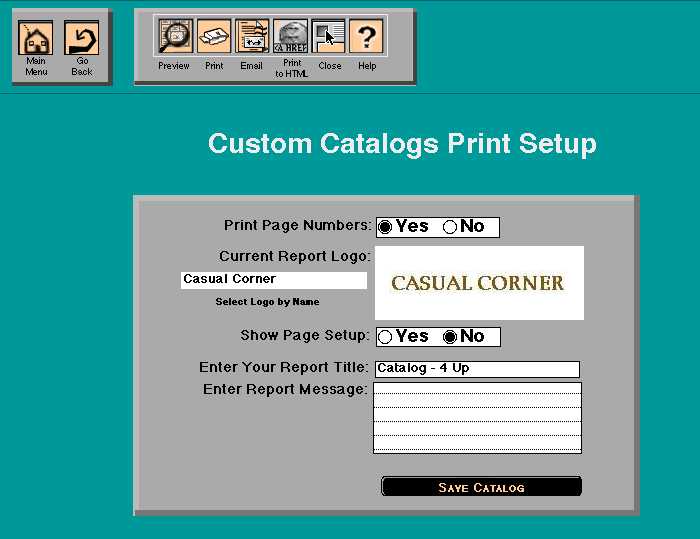
CATALOG SETUP--The first option in setting up a catalog was determining how many items to put on a page and how to arrange them. Prior to printing, catalogs could also be set up with a company logos, a report title, and a report comment, all of which appeared as the header of the report. Logos were stored in a separate logos file.
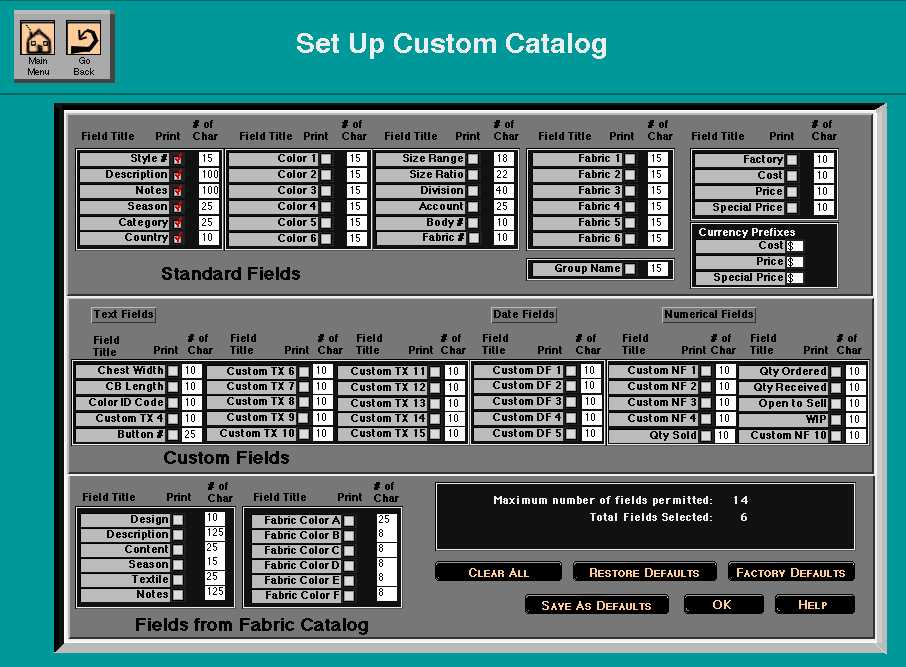
CUSTOM CATALOG OPTIONS--For Custom catalogs, the LineView user could pick which descriptive fields would appear below or to the side of each item in the catalog.
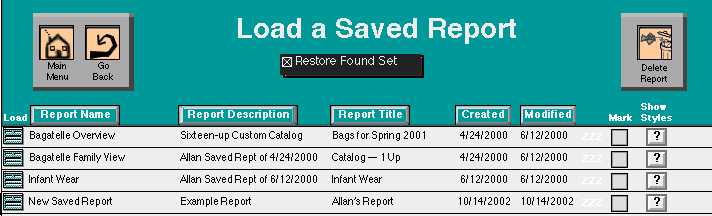
REPORTS, i.e., sorted list views with or without thumbnail images of the styles, had the same options as catalogs. Any report or catalog, once having been set up, could be saved and brought back up at the click of a button with the SAVED REPORTS feature. Restoring a report would restore the found set of style records and all of the options.
ADDITIONAL PRINT OPTIONS--Catalogs and Reports could be emailed (printed to PDF using the same automatic routines for printer-switching described for SpecView's forms, and then automatically attached as email attachments to an automatically generated email message) or "printed" as a web page (the HTML for each type of catalog or report generated on-the-fly and exported as a text HTML file to be used in conjunction with the original style images as JPEGs).
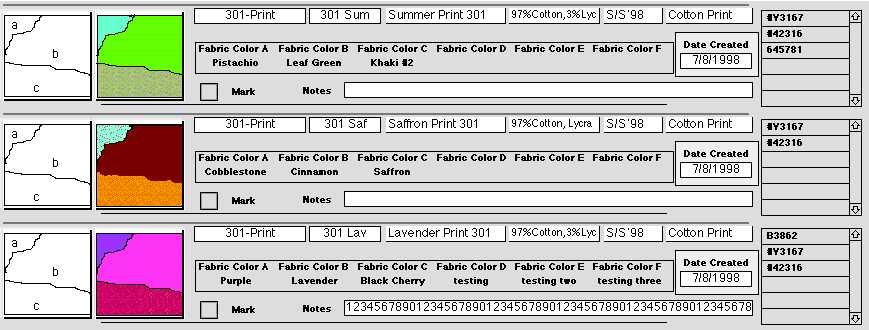
FABRIC CATALOG--A separate database file of fabrics, with patterns, designs, and color swatches, allowed each style to be associated with the fabrics in which it was available. Each fabric could be described in terms of textile content, weave, dye lots, color name, etc.
IMPORT FROM SPECVIEW--For the convenience of users of both systems, styles originally designed and tracked for production in SpecView could be inherited by LineView to generate sales materials. For any style existing in both systems, the user could switch from one system to the other and continue viewing other data pertinent to the style they were examining.
BOTH SOLUTIONS included
* an editable file of usernames and passwords and associated permissions, thus allowing administrative end users the ability to control access without providing them with access to FileMaker's native security dialog; a wide assortment of solution-level (site-level) preferences such as field names (both solutions allowed the users to rename each and every field as it appeared on any screen that they would see, so as to reflect how they actually wanted to use it)
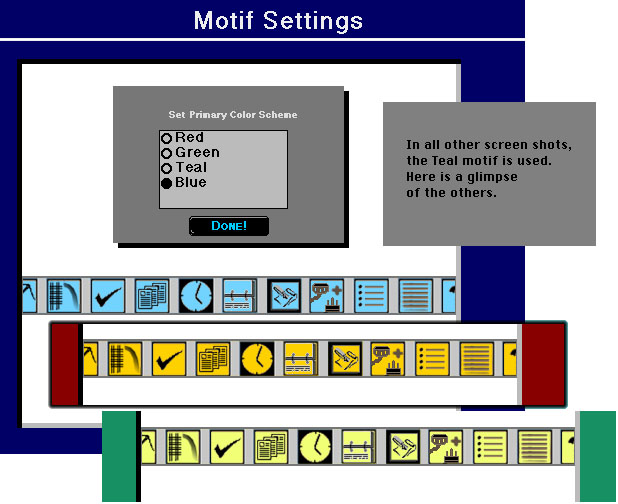
* an equally wide set of individual user-level preference such as motif (both solutions's screens and borders and buttons would appear in any of four selected color motifs);
* a built-in upgrade routine that would move data from older installed copies of the programs to newly installed upgrade copies. Bypassing the built-in "Import" function, these routines allowed the programmer to discard old ways of storing data in favor of more efficient or flexible arrangements while retaining backwards compatibility. An array of subscripts would check for the installed version of the old copy and determine on that basis whether or not to convert the data formulaically, and where and how to place the data in the new structure. Default values for new fields and settings were also established in this way;
* time-limited demo copies of both programs installed from custom-made cross-platform installation CDs. On launch, each solution would show how many days of use remained before expiration. Lease installs were also available, in which companies would pay Infomax on an annual basis for the continued unrestricted use of the program. Unregistered copies would print the string "Unregistered Copy" at the bottom of every form/catalog/report; registered copies would print the company's name in the same space. The expiration routines were immune to tricks such as setting back the computer system clock or reinstalling a second demo copy and moving some of the files over from the expiring copy.
* plug-in architecture -- no, not FileMaker plug-ins, neither of these solutions used any 3rd-party plugins! But one file in each solution existed as a "dummy" file that would be swapped out with customized variants of the same name. The rest of each solution was sold in unchanged condition to each customer, but the routines that called empty scripts in the dummy file would trigger a menu of custom functions and processes, or cause a faceless behind-the-scenes process to take place, at appropriate times in the solutions' operations.