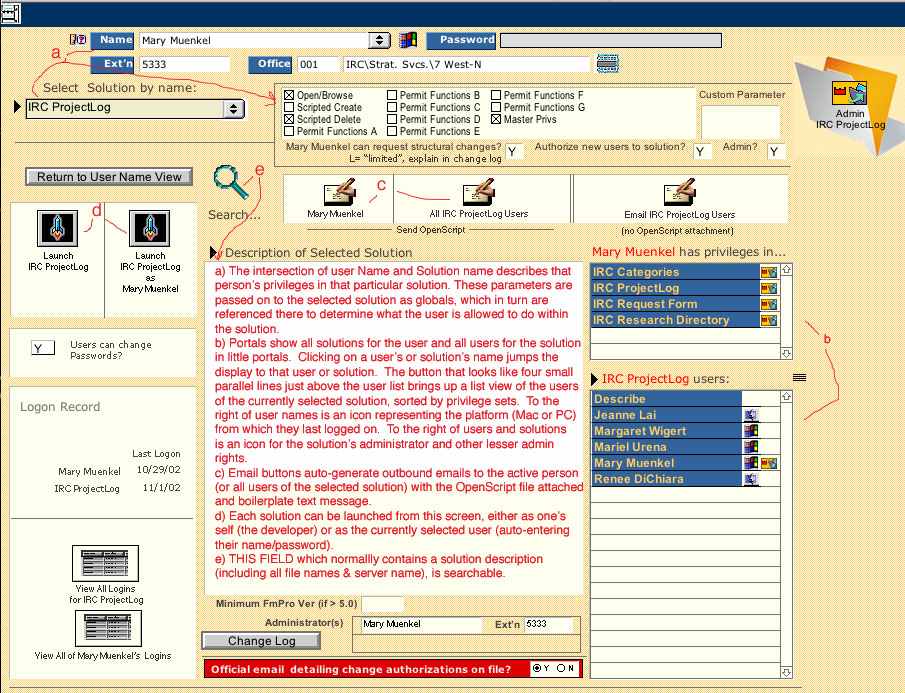
See below this screen shot for links to additional details / related screen shots.
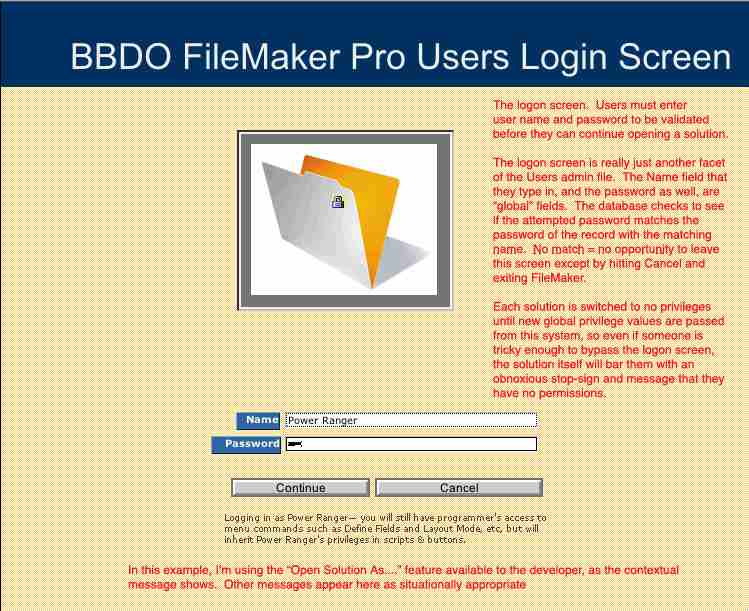
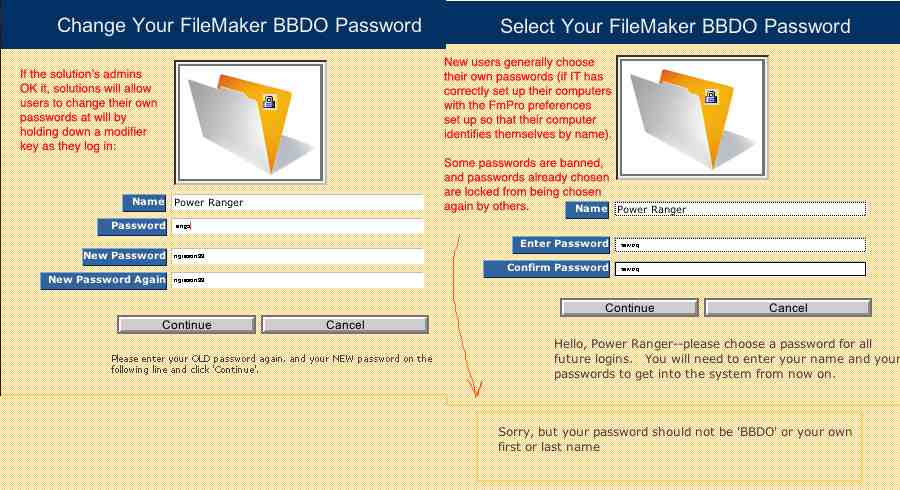
Logging on -- as the user experiences it. Additional options: Choosing or changing one's password. Screen shot also illustrated logging on as currently selected user as described in d) above.
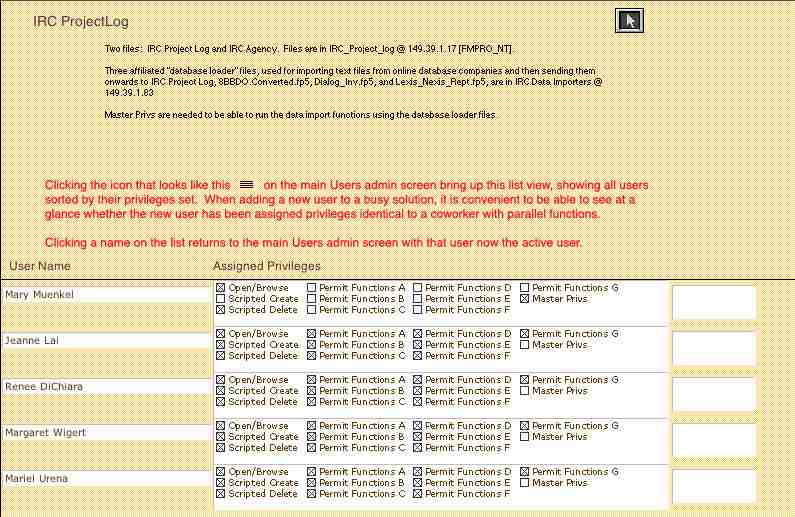
List of users sorted by privilege set, as discussed in b) above.
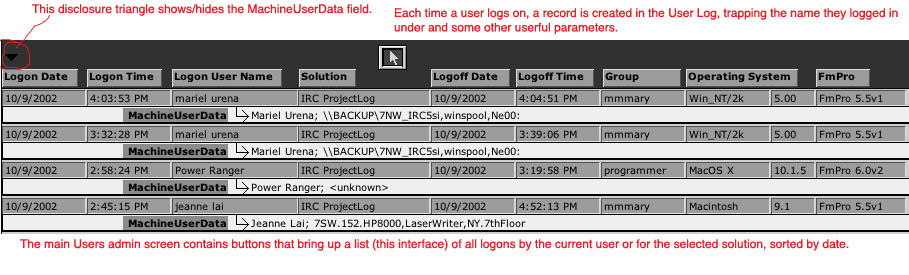
View of logins -- a login record is kept every time a person opens a solution. The buttons above labeled "View all Logins <for solution>" and "View all <user's> Logins" are tied to this user log file.
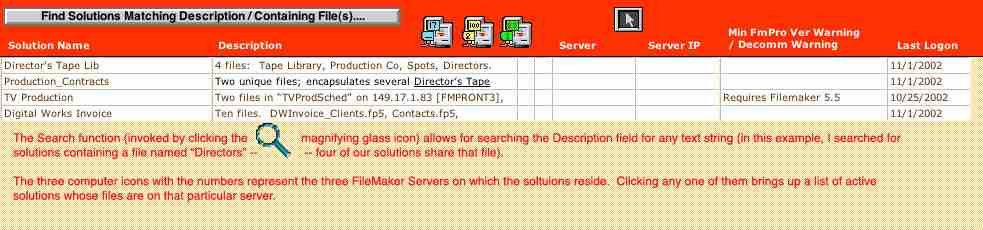
Solutions Descriptions List View--as described in e) above, clicking the magnifying glass lets the programmer search among all solutions for certain parameters entered into the Description field, or bring up all active solutions running from a specified server.
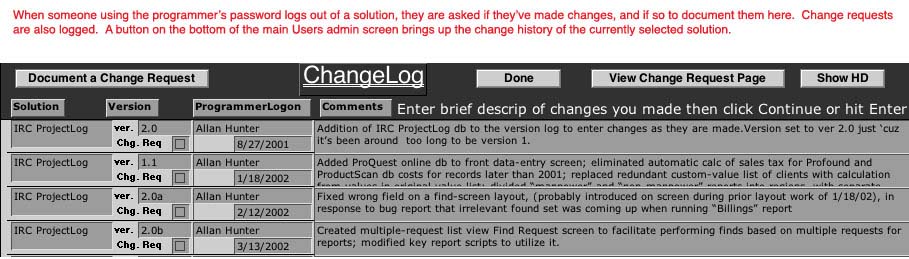
The Change Log--when programmers log off, they are prompted to describe any changes they made to the database. Change requests are also logged here. The Change Log button above brings up a list of all changes recorded for the currently selected solution.